On Demand Satellite Data through Vyom#
Vyom is designed for efficient and flexible access to satellite Earth observation data. It empowers you to search, preprocess, and extract exactly the data you need, at the resolution you want, before downloading anything. Built for speed, Vyom allows you to work with decades of satellite archives across large regions without the bottleneck of full-resolution downloads. Whether for research, environmental monitoring, or geospatial AI, Vyom reduces data overhead while giving you the flexibility to analyze what matters most.
Downloading and Visualizing Satellite Data with Vyom#
- Define Area of Interest
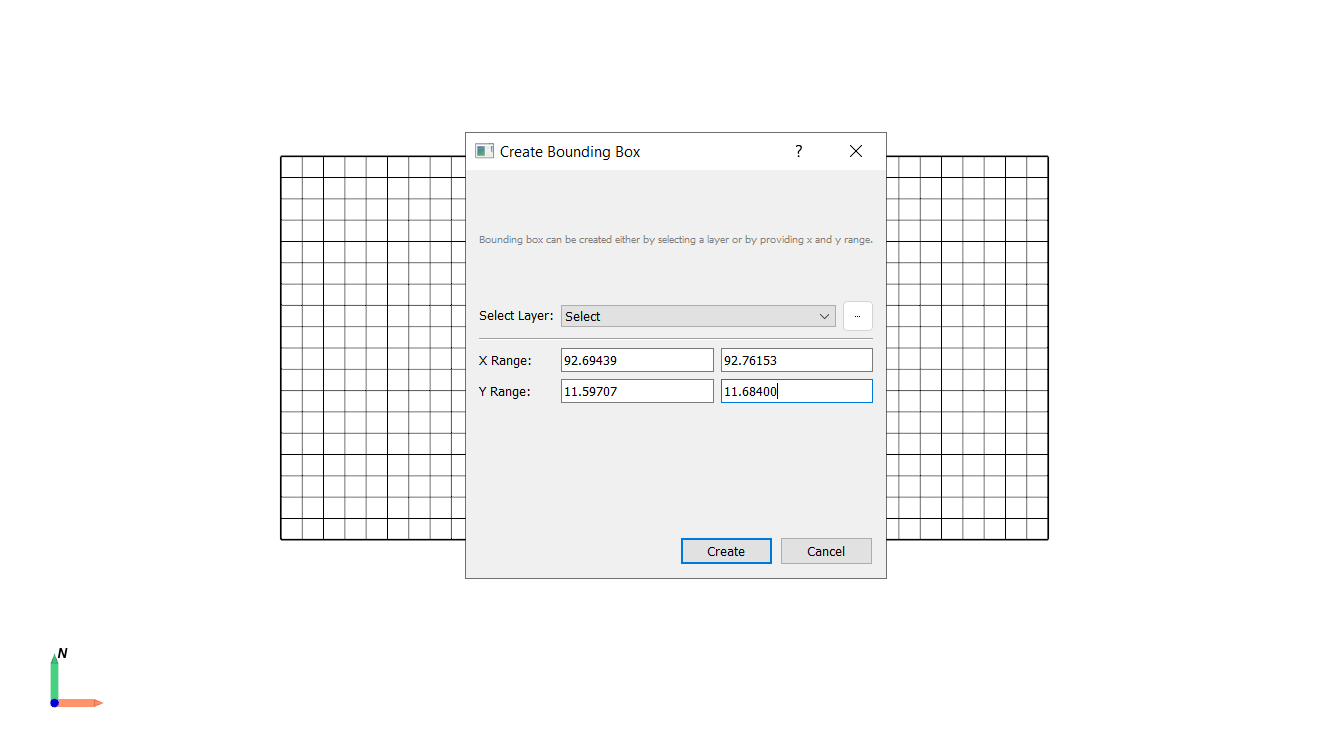
Navigate to Tools → Vector → Bounding Box.
Set the longitude and latitude range for your area of interest or select a layer from the Layer window.
- Access Vyom
Open Kalpa and navigate to the Plugins > Vyom > Download Satellite Data.
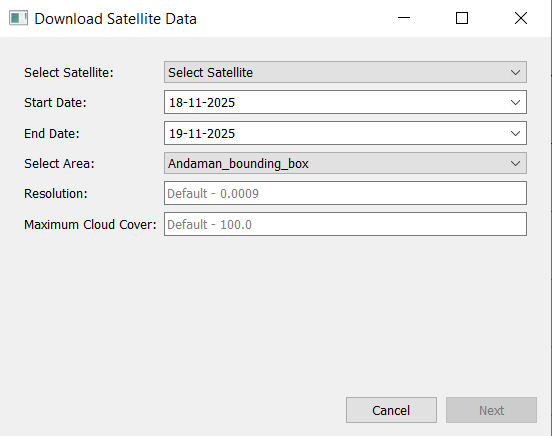
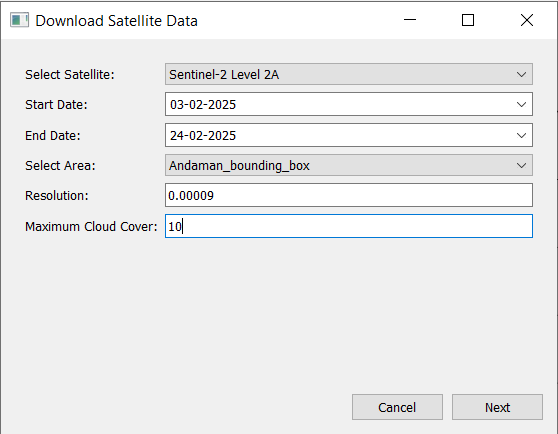
A new window will appear where you can input the download information.

- Input Download Parameters
Select the satellite, time period, resolution, and maximum cloud cover percentage for the data you wish to download.
Click Next.
- Select Dates and Satellite Band
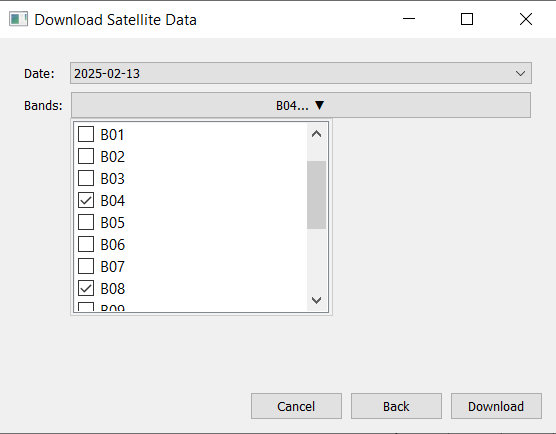
Choose from the available dates within the selected time period and select the desired satellite band/bands.
Click Download.
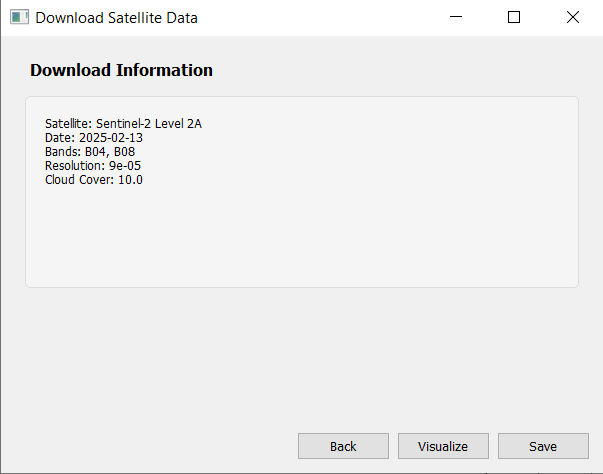
- Visualize and Save Data
Once the data is downloaded, visualize it in Kalpa and save the raster files for future use.
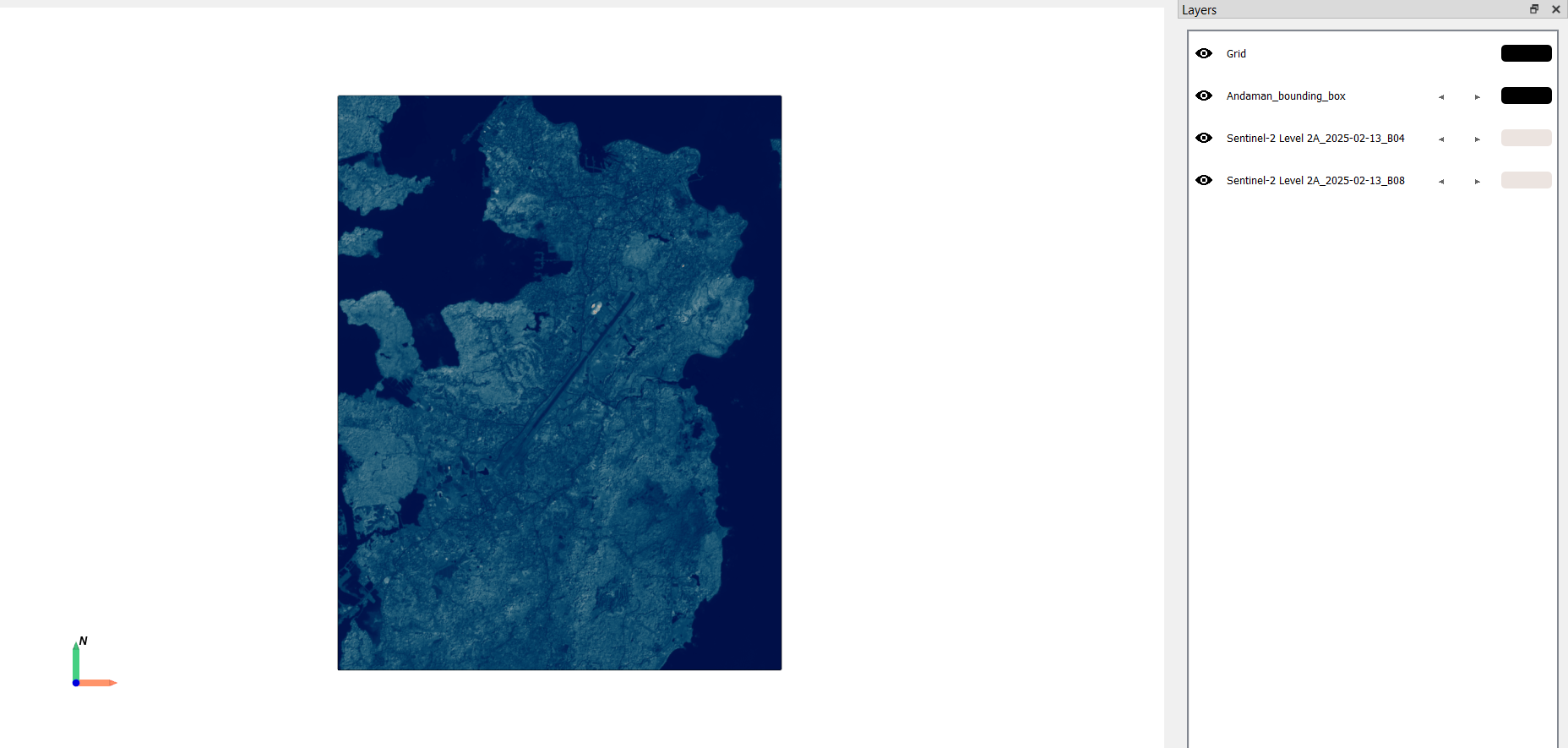
Calculate Satellite Indices with Vyom#
Vyom also allows you to compute various satellite indices directly during the data download process. This feature is particularly useful for applications in agriculture, forestry, water resource management, and environmental monitoring.
- Define Area of Interest
Navigate to Tools → Vector → Bounding Box.
Set the longitude and latitude range for your area of interest or select a layer from the Layer window.
- Access Vyom
Open Kalpa and navigate to the Plugins > Vyom > Satellite Indices
A new window will appear where you can input the download information.

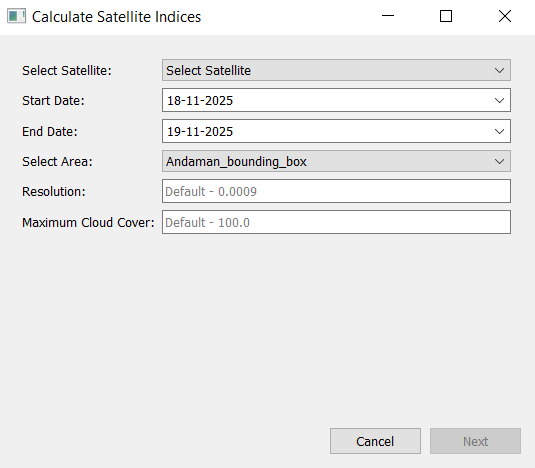
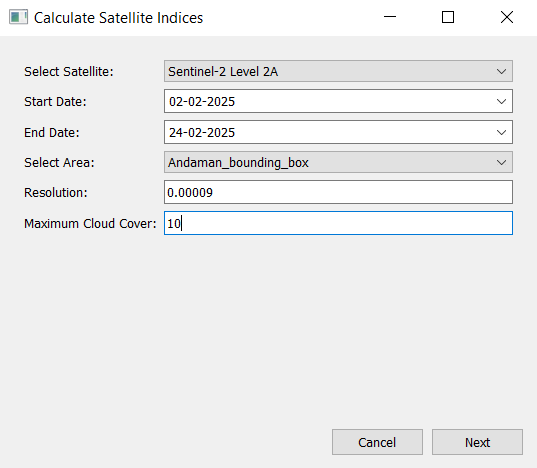
- Input Download Parameters
Select the satellite, time period, resolution, and maximum cloud cover percentage for the data you wish to download.
Click Next.
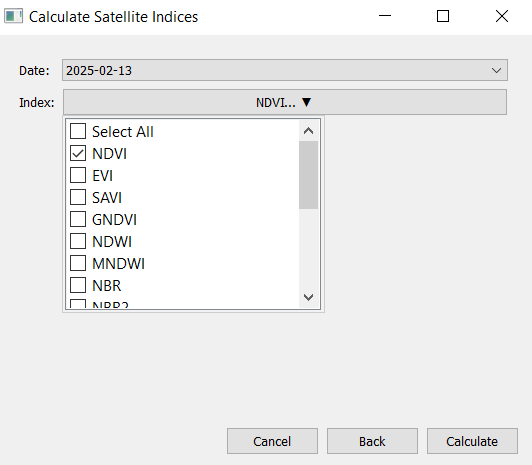
- Select Dates and Indices
Choose from the available dates within the selected time period and select the desired satellite indices to compute.
Click Calculate.
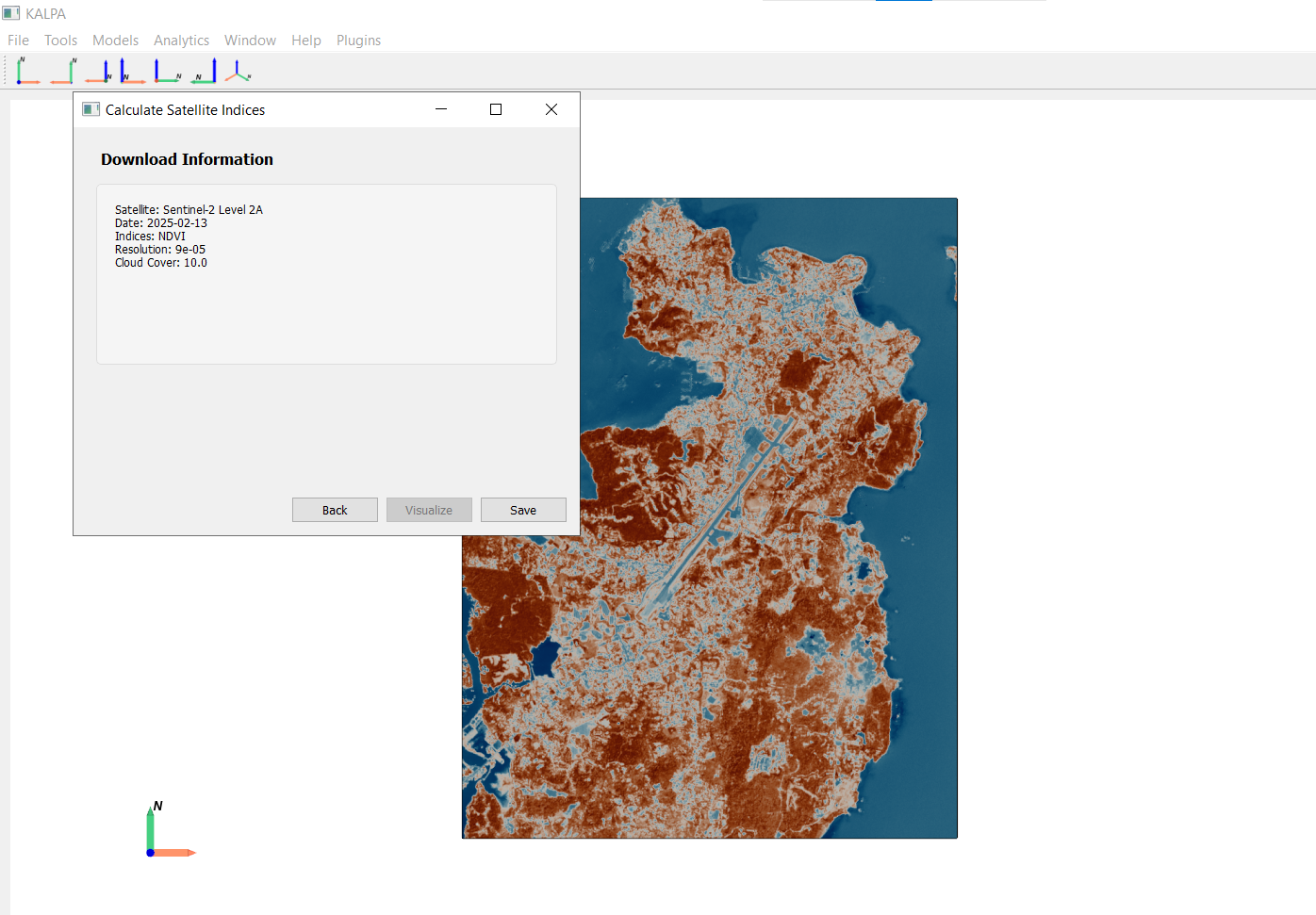
- Visualize and Save Data
Once the indices are calculated and data is downloaded, visualize it in Kalpa and save the raster files for future use.
Available Indices#
Vyom supports the calculation of several commonly used satellite indices:
Normalized Difference Vegetation Index (NDVI): Used to assess vegetation health.
Enhanced Vegetation Index (EVI): Provides improved sensitivity in high biomass regions.
Soil Adjusted Vegetation Index (SAVI): Minimizes soil brightness influences in vegetation studies.
Green Normalized Difference Vegetation Index (GNDVI): Utilizes green light reflectance for vegetation monitoring.
Normalized Difference Water Index (NDWI): Used for monitoring changes in water content of leaves and water bodies.
Modified Normalized Difference Water Index (MNDWI): Enhances open water features while suppressing built-up land noise.
Normalized Burn Ratio (NBR): Used to identify burned areas and monitor fire recovery.
Second Normalized Burn Ratio (NBR2): Provides additional information for burn severity assessment.
Normalized Difference Moisture Index (NDMI): Used to monitor changes in vegetation water content.
Normalized Difference Built-up Index (NDBI): Used to map urban built-up areas.
Normalized Difference Snow Index (NDSI): Used to identify snow cover.
Iron Oxide Index (IOI): Used to detect iron oxide minerals.
Clay Mineral Index (CMI): Used to identify clay minerals.
Hydroxyl Index (HI): Used to detect hydroxyl-bearing minerals.
Sericite Index (SI): Used to identify sericite minerals.
Alunite Index (AI): Used to detect alunite minerals.